
Craft your story, a video of your employee's role and responsibilities. The story will help us outline the employee workflow and become the prompt we use in our design thinking.
Step 1. Employee Story
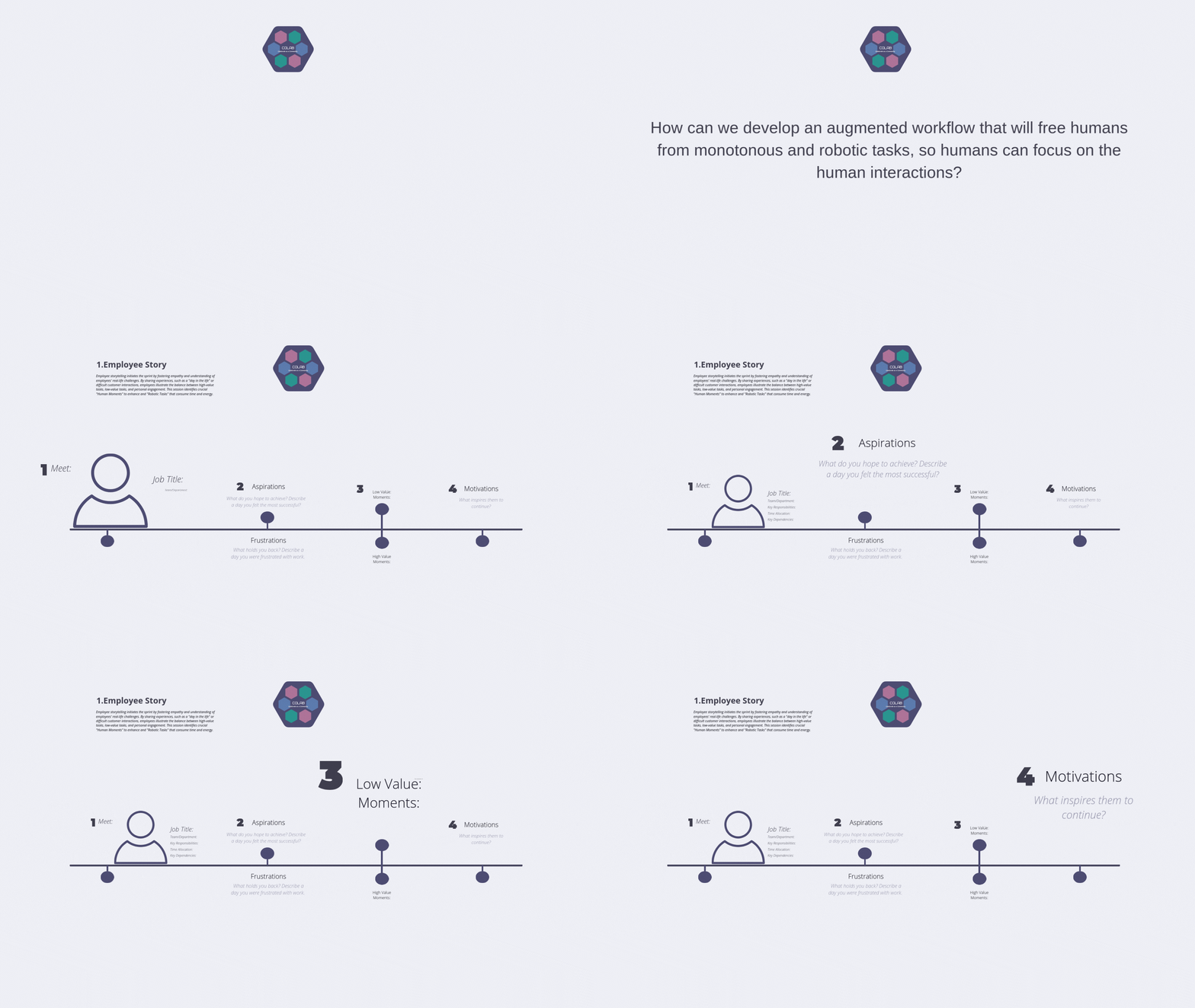
Instructions
Step 1. Provide some details of your employee the focus of our sprint document the Job Title, Department, Key Responsibilities, Time Allocation, Key Dependencies
Step 2. Complete the employee story share a detailed personal story a day of success and joy and day of frustration and monotonous task.
Step 3. Delineate the difference between the day of success and joy and day of failure and dissatisfaction. Describe the high-value moments and the low value moments.
Step 4. Finally, end the employee storytelling with what inspires them to continue.
Employee Story
Group Size: 4-5
Duration: 30-60 mins
Materials Needed: Print Employee Story, Pens, Markers and Post-its
Employee Story png
Employee Story pdf
Details:
Employee storytelling initiates the sprint by fostering empathy and understanding of employees' real-life challenges. By sharing experiences, such as a "day in the life" or difficult customer interactions, employees illustrate the balance between high-value tasks, low-value tasks, and personal engagement. This session identifies crucial "Human Moments" to enhance and "Robotic Tasks" that consume time and energy.
Simulation of Employee Story
In our employee story we will share a detailed, vivid story about a challenging day. This isn't just a list of tasks; it’s about the emotional journey and its challenges. Challenges we hope to automate away. We will begin by asking the employee to describe the moment they felt most successful, detailing the Human Touch that made the difference.
-
Gain a better understanding of our employee'’ perspectives to build empathy.
Understand pain points and opportunities or benefits.
Collect information to create a digital story.
Document the team’s employee insights.
-
Work in small 4-5 team member groups. Collaborate to document your employee story capturing their aspirations, frustrations, motivation.
-
To begin
Step 1. Provide some details of your employee the focus of our sprint document the Job Title, Department, Key Responsibilities, Time Allocation, Key Dependencies
Step 2. Complete the employee story share a detailed personal story a day of success and joy and day of frustration and monotonous task.
Step 3. Delineate the difference between the day of success and joy and day of failure and dissatisfaction. Describe the high-value moments and the low value moments.
Step 4. Finally, end the employee storytelling with what inspires them to continue.
-
Focus on Emotion, Not Just Task Lists: The story must be vivid and detailed, focusing on the feelings—success, frustration, pressure—to truly identify tasks that drain energy and pull the employee away from core human interactions.
Clearly Define the 'Human Touch': Ensure the employee articulates why their successful moments were high-value. This "Human Touch" (empathy, complex judgment, unique interaction) is what the AI should not replace.
Isolate 'Robotic Tasks': When detailing frustration, zero in on the specific, repetitive, time-sucking tasks that caused the pressure. These low-value moments are the prime targets for AI automation.
Use Video as an Anchor: Dramatizing and video recording the story (both high and low-value moments) creates a tangible, emotional reference point. This anchor helps the entire sprint team stay focused on solving a real-world, human problem.
Document Inspiration for Fulfillment: Ending the story with what inspires the employee helps ensure the new AI-augmented workflow enhances their passion and makes the role more fulfilling, rather than just faster.
Maintain Structural Consistency: Follow the suggested four steps precisely: 1) Job Details, 2) Success/Frustration Stories, 3) High-Value/Low-Value Delineation, and 4) Inspiration.
Create a Simulation
Create a Simulation with Artificial Intelligence
Create and communicate narratives that engage and inspire your team in the design process. Digital Storytelling combines elements of storytelling, visual design, and technology to convey information, evoke emotions, and drive collaboration and innovation
AI Video Tools
2. Canva AI
3. Artlist
AI Image Tools
1. Fotor
2. Pixlr
3. Open Art
Create an Employee Story
Create a Simulation Part 1
Create and communicate narratives that engage and inspire your team in the design process. Digital Storytelling combines elements of storytelling, visual design, and technology to convey information, evoke emotions, and drive collaboration and innovation